Instant
Audio & Video
Sync for Professionals

A multicam sync software for Adobe Premiere Pro — clapperboard-free, dual-system audio sync completed in seconds through AI-powered waveform analysis.
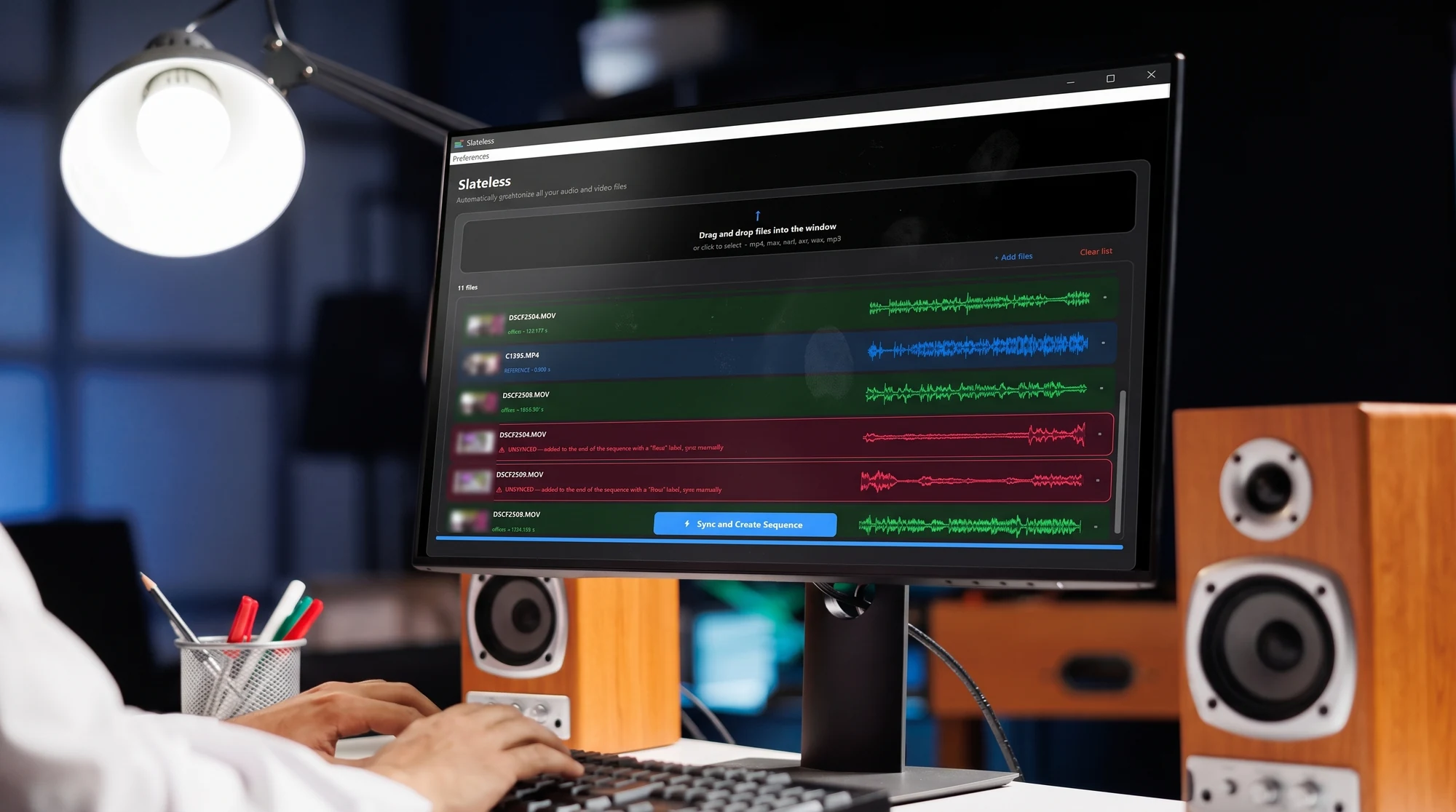
Stüdyo monitöründe Slateless panelinin görüntüsü

What Is Slateless?

Watch a real multicam shoot get synced in under two minutes.
slateless — promo.mp4
Slateless promo video preview

Features

The details that make Slateless practical for every team.
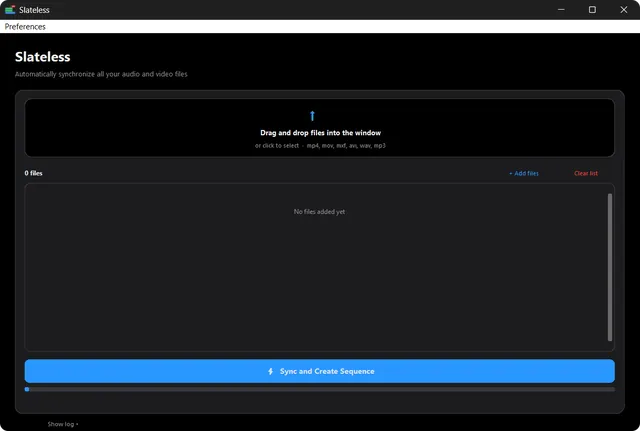
Slateless dosya yükleme alanı

Unlimited Uploads

Upload as much audio and video as you like — Slateless has no file-count limit, so you can process an entire shoot day in one pass.
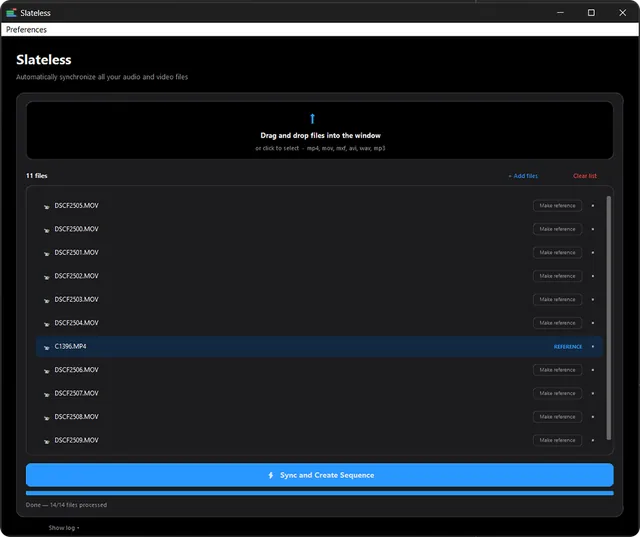
Slateless farklı dosya formatlarıyla dolu liste

Broad Format Support

Reads MP4, MOV, MXF, AVI, WAV, MP3 and many other audio and video formats directly.
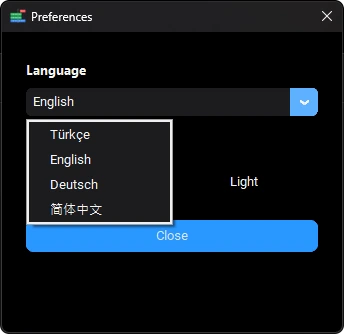
Slateless dil seçimi ekranı: Türkçe, English, Deutsch, 简体中文

Multi-language Interface

The app interface supports many languages, so everyone on your team can work in their own.

How It Works

From dropped files to a synced sequence, in four steps.

1

Drag & Drop Files

Slateless boş dosya yükleme alanı

Add every video and audio file from the shoot into the Slateless panel.

2

Analyze Waveforms

Slateless referans parça seçili dosya listesi

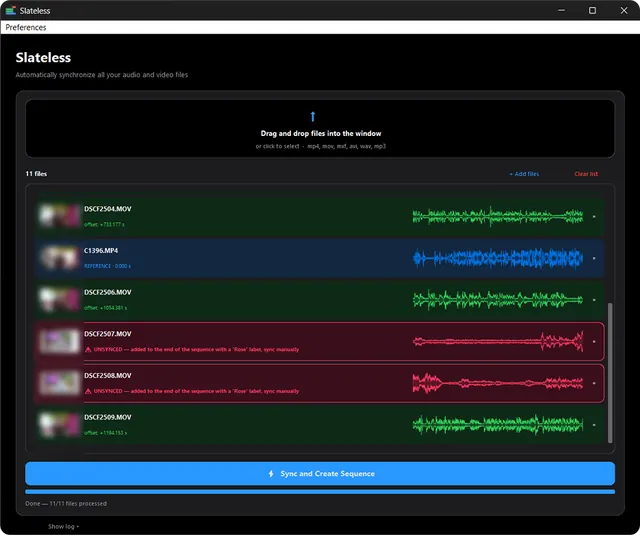
Pick a reference track — Slateless scans every clip's audio to calculate its offset.

3

Instantly Synced Sequence

Slateless renk kodlu senkronize klip listesi

Clips snap into place, color-coded so you can spot anything needing a manual check.

4

Ready in Premiere

Stüdyo monitöründe senkronize edilmiş Slateless sekansı

Import the XML file Slateless generates into Premiere Pro — your synced sequence is ready instantly.

FAQ

Common questions about how Slateless syncs your footage.

Yes. Slateless is built for multicam workflows — add clips from any number of cameras plus separate audio recorders, and it syncs the whole batch into one multicam source sequence.
No. Slateless syncs purely from audio waveforms, so it works even when cameras weren't jam-synced or don't share timecode.
Slateless is a standalone application — not an Adobe plugin. Download and install it from your aescripts.com account, load your files and sync them, and Slateless generates an XML file. Import that XML into Premiere Pro and your synced sequence is ready.
Yes. Load an entire shoot day's footage at once — Slateless analyzes and syncs every file in the batch in a single pass.
Slateless reads audio from most common video and audio formats, including MP4, MOV, MXF, AVI, WAV, and MP3.
Slateless needs a reasonably clear reference audio track to sync from. Heavy background noise, echo, or phase-inverted channels can reduce accuracy — using your camera's built-in mic or a dedicated reference recording gives the best results.
Slateless works best on raw, uncut footage. We recommend syncing from the original clips before any editing, rather than an already-cut sequence.
Slateless is built specifically for Adobe Premiere Pro and outputs an XML you import directly into it. There's no file-count limit, the interface supports multiple languages, and syncing runs on AI-powered waveform analysis.
Slateless is sold through aescripts.com, so purchases, trials, and refunds follow aescripts.com's standard policies. Check the aescripts.com product page for current terms.
Yes. Slateless is a standalone application built to replace traditional sync plugins — it integrates directly into your Premiere Pro workflow without extra setup complexity.